Gray: Blanda svart och vitt i macOS

Gray: Blanda svart och vitt i macOS

Nu har Gray, programmet för din Mac uppdaterats med buggfixar och lite bättre möjligheter att ställa in fönsterstorleken.

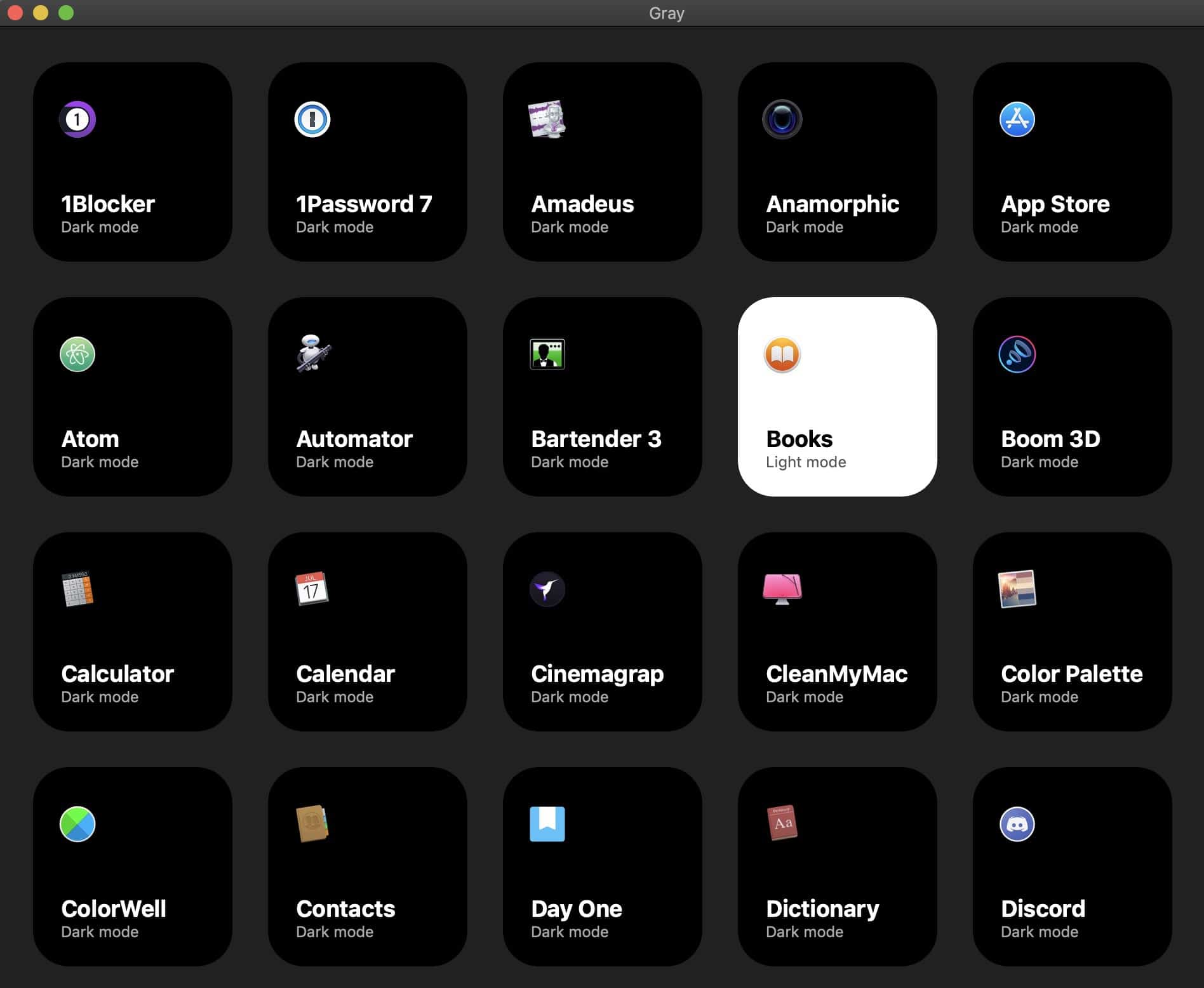
En nyhet i MacOS Mojave är som bekant att du kan slå på ett Dark Mode, mörkt läge och det vita, ljusare läget. Problemet är att det görs globalt och i alla program som har stöd för det. Du kan inte blanda vilket kan vara önskvärt exempelvis när du ska skriva en massa text i Pages eller när du ska läsa något. Det är det Grey löser.

Blanda

Med Gray så slår du på Dark Mode och sedan kan du blanda, slå på det läge du vill ha i det program du vill.

Programmet är gratis och finns att ladda ned på GitHub.

Gray

Gratistipset: Hela kroppen i 3D – i din iPhone och iPad

Gratistipset: Hela kroppen i 3D – i din iPhone och iPad

3D Anatomy är en kunskapsbank med information om den mänskliga kroppen för din iPhone och iPad med mängder av 3D-bilder.

3D Anatomy inkluderar interaktiva modeller för alla ben, ligament, muskler, artärer och vener i din kropp tillsammans med nerv-, andnings- och urinsystem. Du kan höra ljuduttal för alla anatomiska termer och testa dina kunskaper med en quiz. Lager av muskler kan långsamt skalas bort, och du kan spara de olika vyerna för senare användning.

Gratis idag 26/12-2022

3D Anatomy includes interactive models for all the bones, ligaments, muscles, arteries, and veins in your body along with the nervous, respiratory, and urinary systems. You’re able to hear audio pronunciations for all anatomy terms, and test your knowledge with location quizzes. Layers of muscles can be slowly peeled away, and you can save the different views for later use.

3D Anatomy


Gratistipset: Prata med Carl

Gratistipset: Prata med Carl

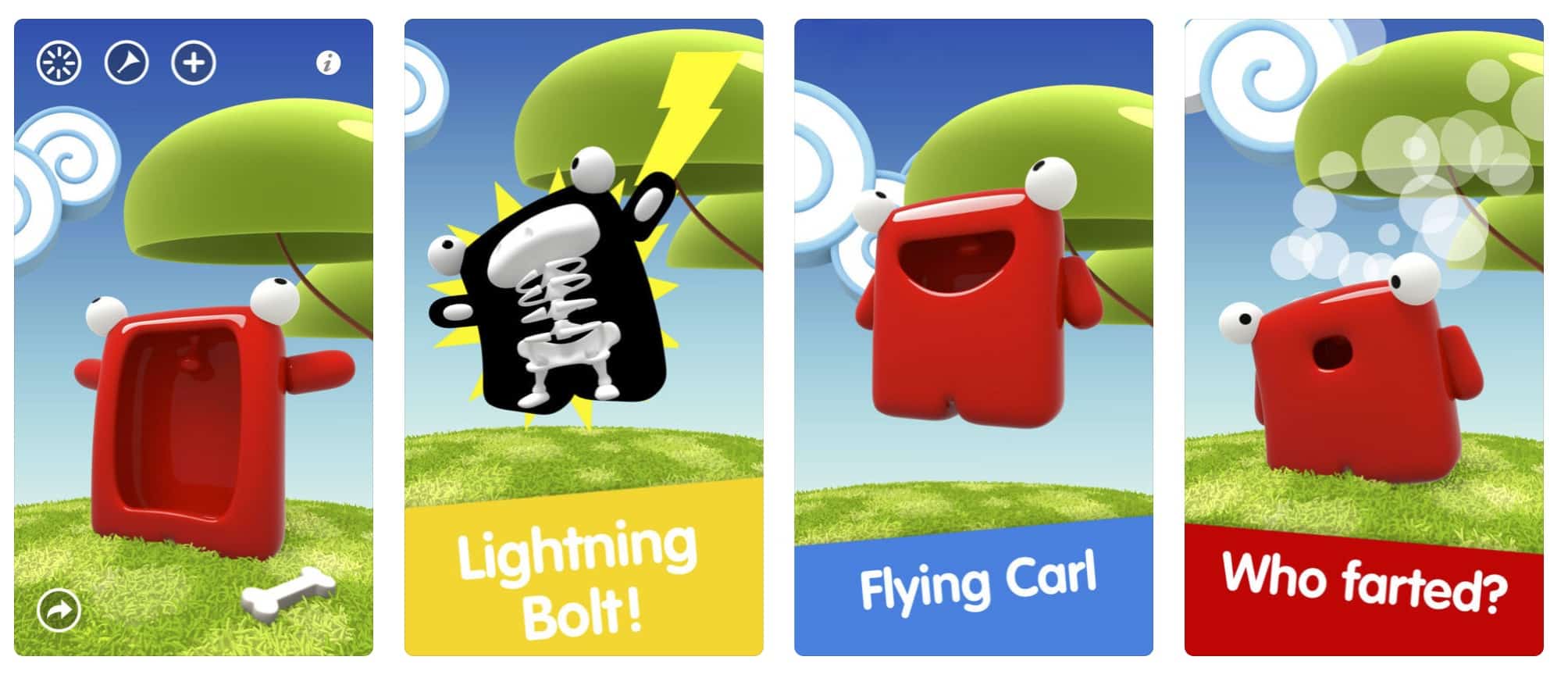
Du kan alltså prata med appen och med Carl. Du kan sjunga med Carl och du kan ge honom stötar.

Talking with Carl är gratis 23/12-2022 (innehåller köp-i-app)

Talk, Sing and Play with Carl. Tickle, punch, feed him and hear his funny laughs, growls and more!
#1 Worldwide: Carl reached #1 charts and has been featured all over the world.

Talking Carl is the very first and still the funniest talking character of the App Store, he invented fun!

We think about small kids too: Use the Baby mode without any buttons… only Carl and no trouble!

————— Features ————–
• Talk to him and he’ll repeat your words with an hysterical voice.
• Feed him with bones
• Strike him by lightning
• Tickle him and he will laugh out loud.
• Poke his eyes and he will shout and yell.
• Pinch him to hear him growling.
• And if you forget him he will grumble.
• Very Polite, he even says Goodbye.

+ Swipe up and he will fly… and fall
+ swipe down and hear the thunder
+ swipe left or right and he’ll make a round-turn.

Talking Carl is hours of laugh for children of any age.
Parents, you’ll love him too for the peacefulness it gives you while your kids are playing with him.
But don’t try it! you’ll never give it back to them.

Talking with Carl


Gratistipset: Proshot – en riktigt bra app för att ta bättre bilder med

Gratistipset: Proshot – en riktigt bra app för att ta bättre bilder med

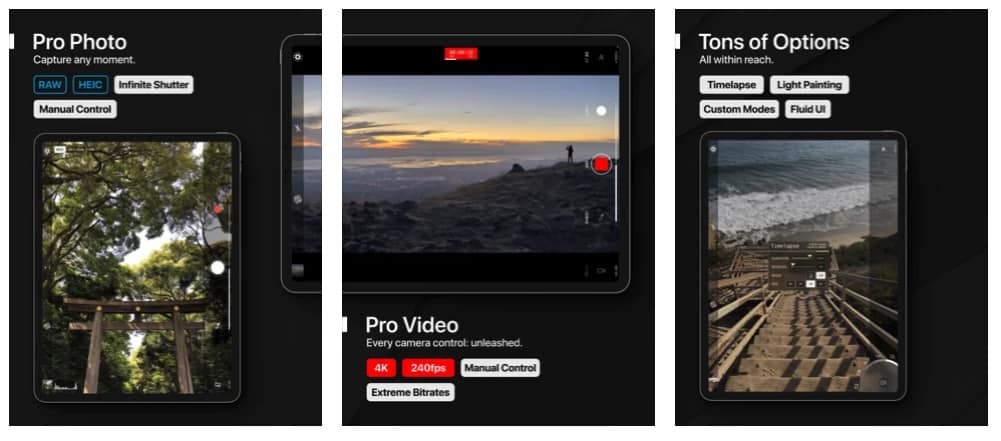
ProShot är en app för stillbilder och för video med flera funktioner som du kan använda för att ta bättre bilder och skapa bättre videor med.

Du har ett rutnät så att du ser vad du har i fokus och se till att horisontlinjen inte lutar, för att ta ett exempel. Du kan ställa in ISO, slutartid, och få bättre kontroll på dina exponeringar.

ProShot är gratis idag 21/12-2022.

/// CAMERA FEATURES ///

• Auto, Program, Manual, and two fully configurable Custom modes, just like a DSLR

• Manual, semi-manual, or automatic control over exposure, flash, focus, ISO, shutter speed, torch intensity, and white balance

• Shoot RAW (DNG)

• Shoot full resolution in 16:9, 4:3, and 1:1

• Full-res Burst and Timelapse modes, all with full manual controls

• Light Painting mode with two submodes

• Portrait mode support

• Zero-lag bracket exposure up to ±3, in 1/3 stop increments

• Auto MAX ISO and Shutter options

• Manual focus assist

• Front-facing camera with full manual controls

• Zoom with just one finger, up to 10X

• Fully featured Camera Roll with EXIF metadata, support for video playback, media sharing, and delete

• Grid overlay

• Customizable accent color

• Most innovative camera UI ever created

/// VIDEO FEATURES ///

• Manual, semi-manual, or automatic control

• Record video in any mode (Auto, P, M, C1, or C2)

• 4K Video (on supported devices) up to 80Mb/s

• 4K Timelapse (on supported devices)

• Adjustable resolution and frame rate

• Industry-standard options for 180 degree rule

• Real-time audio levels meter

• Zoom and change any camera parameter, even during video recording

• Capture still frames during video recording

• Video light

ProShot

Gratis är gott: En egen inspelningsstudio för din Mac – Ardour

Gratis är gott: En egen inspelningsstudio för din Mac – Ardour

Ardour är ett inspelnings- och ljudredigeringsprogram, en liten inspelningsstudio för din Mac som är helt gratis.

Anslut en mikrofon eller ett tangentbord. Lägg till ett spår. Tryck på spela in. Importera ljud eller MIDI från din hårddisk eller Freesound-databasen – det är Ardour, ett gratisprogram för att spela in och redigera ljud. Du har effekter, funktioner för att redigera ditt inspelade ljud på en rad olika sätt. Du har tillgång till de mängder av verktyg, de du behöver i programmet.

När du behöver fullständig kontroll över dina verktyg, när begränsningarna för andra designs kommer i vägen, när du planerar att tillbringa timmar eller dagar med att arbeta på en session, är Ardor där för att få saker att fungera som du vill att de ska.
Musiker
Att vara det bästa verktyget för att spela in begåvade artister på verkliga instrument har alltid varit en högsta prioritet för Ardour. Istället för att fokusera på elektroniska och popmusik idiom, går Ardor ur vägen för att uppmuntra den kreativa processen att förbli där den alltid har varit: en musiker som spelar ett noggrant designat och välbyggt instrument.

Ardour


Gratistipset: Color Dots, för de små

Gratistipset: Color Dots, för de små

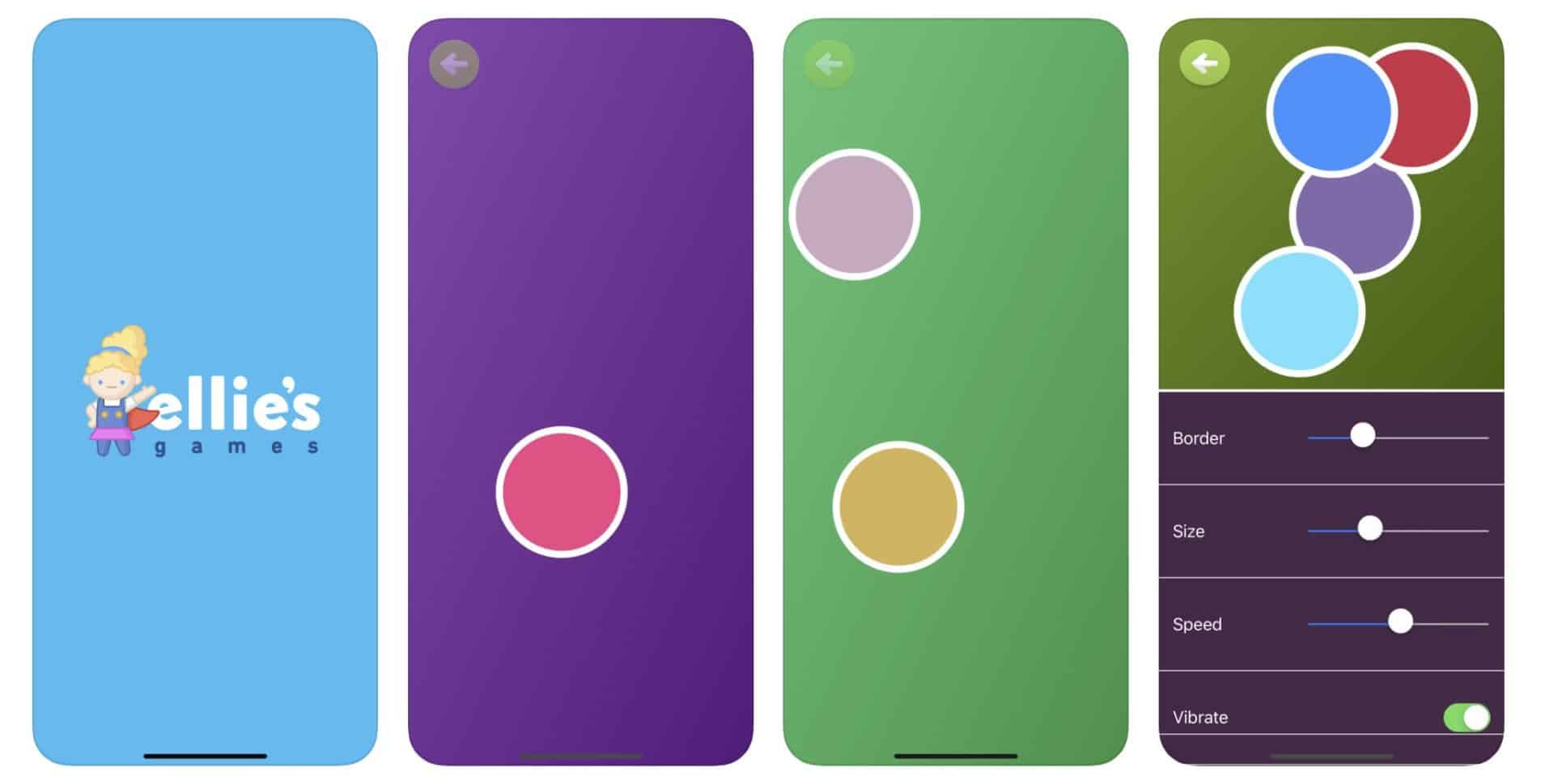
Color Dots är ett enkel spel för de mindre och som är tänkt att träna upp koordination och på att fokusera.

Gratis idag 19/4-2020

Hey Everyone, Ellie’s Dad here. Thanks for taking a look at Color Dots. I hope your little one enjoys this game as much as Ellie does. We find that it’s a great way to practice visual tracking, eye hand coordination, response time and finger dexterity. If your little one is 2 or 3 try calling out colors for them to pop. That’s Ellie’s favorite! Thanks for your support!

Color Dots is a colorful visual tracking game that will hold a child’s attention. A simple game that improves finger dexterity, mental stimulus and response time in young children. An educational intuitive game that puts fun first.

”My 10 month daughter loves this game. Great for building coordination. Best of all, no annoying menu button or ads for her to accidentally hit.”

– TK187

”Push a bubble and make it pop! No on screen ads, no on screen ’buy me’ buttons that babies can accidentally press. It’s nice and simple”

– Canvai

FEATURES:

● Eye Hand Coordination Training

● Finger Dexterity Development

● Mental Stimulation

● Crisp Animations

● Vibrant, Visually Stimulating Colors

● Popping Sounds

● Pop Vibration (iPhone)

● iPad and Retina Display Support

● No ADS or on screen buttons! Perfect for infants!

SETTINGS:

● Remove Dot Border

● Change Dot Size

● Change Dot Speed

● Set Max Levels

● Remove Dot Sound

● Start/Stop Music

● Enable Dot Vibration (iPhone)

● Write a review

HOW TO PLAY:

Color Dots starts out with a colorful bouncing dot. When you pop the first dot, two dots show up to replace it. After popping those two, three dots show up and so on.

ABOUT:

Ellie’s Games combines vivid colors and simple game functions to help your child grow while having fun. I focus on bright, vivid color based games that help expand a child’s growing mind. Simple themes and a user friendly interface make all of Ellie’s Games simple and fun for children of all ages.

Have a question for Ellie’s Games? Send it to me at Erik@ElliesGames.com

Check out Ellie’s other games:

– Matching

– Dot Connector

– Math Duel

– Alphabet Dots

– Counting Dots

– Rain Dots

– Color Squares

– Vet Island

Color Dots